
The virtual admin assistant industry is shifting from task-based, hourly outsourcing to AI-augmented, specialized, outcome-driven remote operations support, and the businesses that adapt their hiring, workflows, and governance now will capture the largest productivity and cost advantage. Five forces drive this shift: AI-assisted execution, vertical specialization, transparent skill-tiered pricing, asynchronous global delivery, and formal data-security controls. Positioning ahead of these virtual admin assistant industry trends means treating a virtual administrative assistant as a managed operational function with defined outcomes, not as an on-demand pair of hands.


If you want a clear picture of how that operating model works in practice, explore our approach to managed virtual administrative assistant support and see how structured onboarding, vetted talent, and defined workflows fit together.
Key Takeaways
- AI is now a baseline skill, not a bonus. Virtual admin assistants who use AI tools well deliver faster, cleaner work.
- Generalists are losing ground to specialists. Industry-trained assistants ramp up quicker and make fewer mistakes.
- Pricing is becoming more transparent. Buyers now compare rates by skill level and region before they commit.
- Async-first delivery wins. Time zone gaps matter less when handoffs are documented.
- Security is a buying criterion. Clients increasingly ask how access, data, and tools are governed.
- Outcomes beat hours. Leaders who measure results, not logged time, get more from every engagement.
What is the Virtual Admin Assistant Industry?
The virtual admin assistant industry is the market of remote professionals and service providers who deliver administrative, operational, and support work to businesses over the internet. Typical work includes calendar and inbox management, data entry, customer follow-up, research, scheduling, reporting, and document preparation.
In short, a virtual admin assistant handles the recurring work that keeps a business running so founders and executives can focus on revenue-generating decisions.
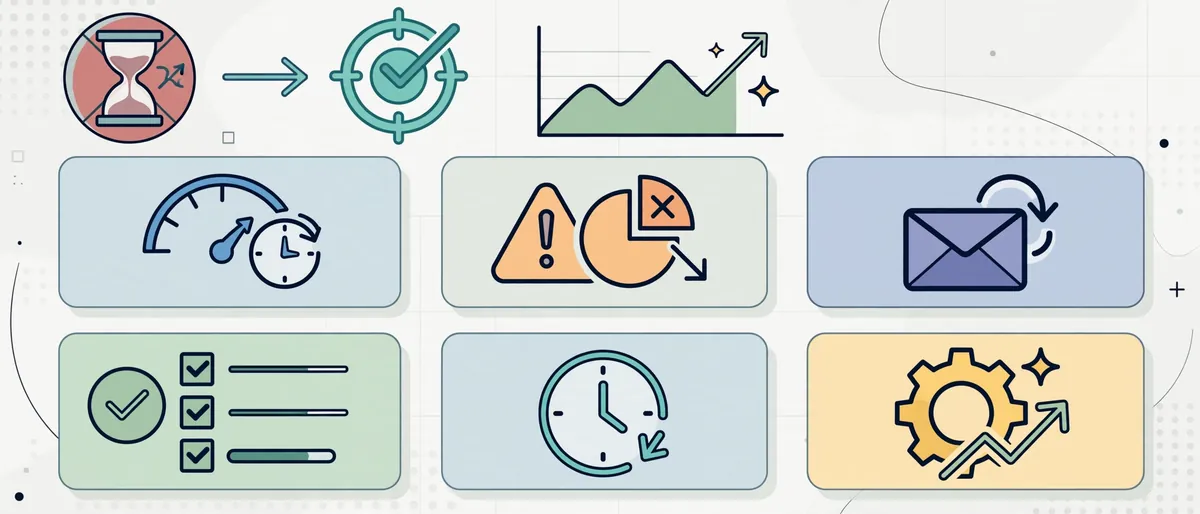
Quick Answer: What Do Virtual Admin Assistants Do?
- Manage calendars, inboxes, and travel arrangements
- Prepare reports, presentations, and documents
- Update CRMs and maintain databases
- Coordinate with clients, vendors, and internal teams
- Run research and compile summaries
- Support onboarding, billing follow-ups, and routine operations
How the Industry Got Here
The model started as simple freelance outsourcing. A business owner hired one remote person, assigned tasks by email, and paid by the hour. Over time, three developments changed the market:
- Remote work became normal. Distributed teams made remote support feel ordinary rather than risky.
- Cloud tools matured. Shared drives, project boards, and communication platforms made handoffs easier.
- AI entered daily workflows. Drafting, summarizing, and data handling became faster, which raised expectations for output.
As a result, the market now rewards providers and buyers who operate with more structure. That is exactly why paying attention to virtual admin assistant industry trends has moved from a nice-to-have habit to a planning requirement.
Why Virtual Admin Assistant Industry Trends Matter Right Now
Administrative work is large, steady, and constantly evolving. The U.S. Bureau of Labor Statistics tracks this occupation group in its Occupational Outlook Handbook for secretaries and administrative assistants, which shows how automation and changing office technology are reshaping the role. Consequently, the remote version of the role is evolving even faster.

Here is why the timing matters for your business:
- Your competitors are already adapting. Teams that adopt structured virtual support early free up leadership time sooner.
- Buyer expectations are rising. Clients now expect faster turnaround, cleaner communication, and consistent quality.
- Talent is more visible. Because skills and rates are easier to compare, average providers stand out less.
- Mistakes cost more. With more data flowing through remote workflows, a poor process now carries security and reputational risk.
Meanwhile, businesses that ignore these shifts often end up with the same problems: unclear scope, inconsistent quality, and high turnover. Therefore, the smartest move is to understand each trend and decide how it changes your hiring and management approach.
Trend 1: AI-Augmented Virtual Admin Assistants Become the Standard
The biggest of all virtual admin assistant industry trends is AI augmentation. Assistants now use AI tools to draft emails, summarize meetings, organize research, and clean up data. The result is faster output and more room for higher-value work.
However, AI does not replace judgment. A strong assistant still decides what to prioritize, what to verify, and what to escalate. In practice, the winning combination is human context plus AI speed.
What AI-Trained Virtual Admin Assistants Do Differently
- Draft first, refine second. They use AI to create a starting point and then apply brand voice and accuracy checks.
- Summarize at speed. They turn long threads, calls, and documents into short action lists.
- Automate repeatable steps. They build simple templates and workflows for recurring tasks.
- Verify before sending. They fact-check AI output rather than trusting it blindly.
If you want to understand how this changes the hiring decision, read our breakdown of how AI-trained assistants compare with traditional VAs. It explains where AI skills create measurable value and where a traditional approach still works.
Comparison Table: Traditional VA vs. AI-Trained Virtual Admin Assistant
| Factor | Traditional Virtual Assistant | AI-Trained Virtual Admin Assistant |
|---|---|---|
| Drafting speed | Manual, starts from a blank page | Faster first drafts with human refinement |
| Research | Manual searches and note-taking | AI-assisted research with source verification |
| Data handling | Manual entry and cleanup | Templates, automation, and quality checks |
| Reporting | Built from scratch each cycle | Reusable structures with quicker updates |
| Risk profile | Human error in repetitive tasks | Requires review discipline for AI output |
| Best fit | Simple, low-volume support | Growing teams with higher task volume |
Common Mistake: Buying the Label Instead of the Skill
Many buyers see “AI-powered” in a listing and assume quality. Instead, ask for proof. Request a sample workflow, a short test task, or a walkthrough of how the assistant verifies AI output. That single step filters out most weak candidates.
Trend 2: Specialization Replaces the Generalist Model
The second major shift is specialization. Businesses no longer want a general helper who learns everything from scratch. Instead, they want an assistant who already understands their sector’s language, tools, and workflows.
For example, a real estate team needs someone who understands listings, transaction timelines, and client follow-up cadences. A marketing agency needs someone who understands campaign reporting and content calendars. Because context shortens the learning curve, specialists usually deliver value faster.

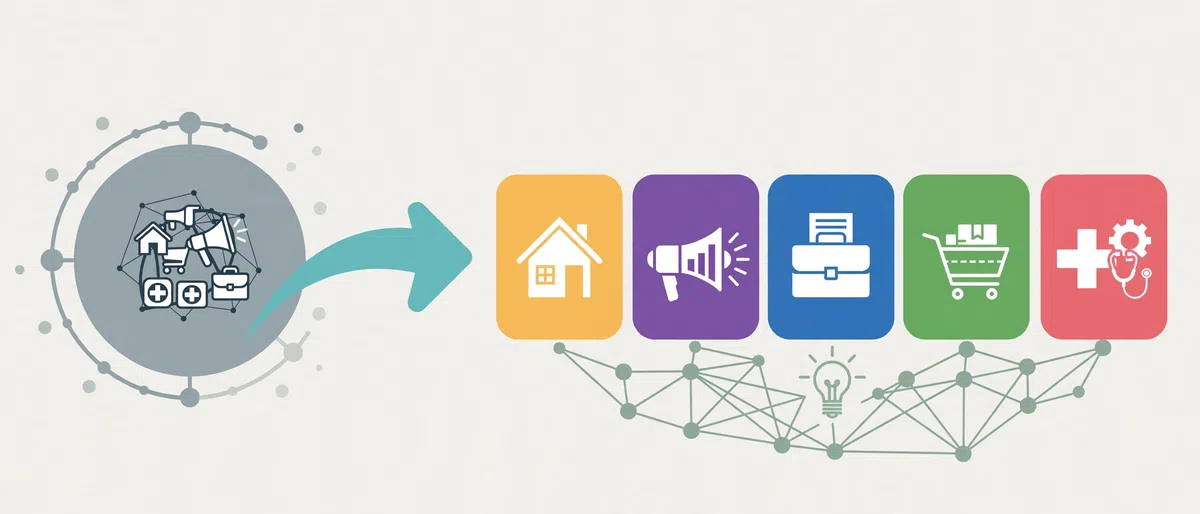
Where Specialization Is Growing Fastest
- Real estate: transaction coordination, listing support, and lead follow-up
- Marketing and agencies: content scheduling, reporting, and client communication
- Professional services: intake, scheduling, document preparation, and billing support
- E-commerce: order support, inventory updates, and customer service
- Healthcare-adjacent operations: scheduling and administrative coordination (with proper compliance controls)
To see how vertical focus works in a real scenario, review our guide to a virtual admin assistant for real estate agents. It shows how sector knowledge changes daily tasks and results.
How to Position Your Business for the Specialization Shift
- Define your niche workflows. List the ten recurring tasks unique to your industry.
- Document tools and terms. Create a short glossary and tool list for new assistants.
- Hire for context, then train for style. Choose people with relevant exposure, then teach your preferences.
- Build a playbook. Record each process in a simple, step-by-step guide.
Trend 3: Transparent, Skill-Tiered Pricing Takes Over
Pricing is the third major shift. Buyers used to pick a rate and hope for the best. Today, they compare pricing by skill level, region, and scope before signing.
Because information is easier to find, vague pricing loses trust quickly. On the other side, buyers who understand rate structures negotiate better and avoid overpaying for tasks that do not need senior skills.

What Is Driving Pricing Transparency?
- Easy comparison: Buyers can review multiple providers in minutes.
- Clearer skill tiers: Entry-level, mid-level, and specialist roles now carry distinct expectations.
- Regional awareness: Buyers understand that location influences rates and availability.
- Scope-based packages: More providers bundle defined outputs rather than open-ended hours.
For a realistic view of what fits your budget, use our guide on what virtual administrative assistants cost per hour by skill level and region. It helps you match the task to the right tier instead of paying specialist rates for basic work.
Table: How to Match Task Complexity to Assistant Level
| Task Type | Complexity | Suggested Skill Level | Why |
|---|---|---|---|
| Inbox sorting, basic scheduling | Low | Entry-level | Clear rules, low risk |
| CRM updates, reporting, travel planning | Medium | Mid-level | Requires judgment and tool skill |
| Vendor coordination, process building | Medium to high | Experienced | Needs ownership and communication |
| Workflow design, AI-assisted operations | High | Specialist | Requires systems thinking |
Common Mistake: Choosing the Lowest Rate
A low hourly rate can look attractive. Yet rework, missed details, and management time often erase the savings. Instead, compare the cost per finished outcome. If a slightly higher rate delivers cleaner work with less oversight, the total cost is usually lower.
Trend 4: Async-First Delivery Makes Time Zones a Strength
The fourth shift is the rise of async-first operations. In earlier years, time zone differences felt like a barrier. Now, well-run teams treat them as an advantage, because work continues while leadership is offline.
Success depends on documentation. When instructions, priorities, and deadlines are written clearly, the assistant does not need constant live guidance.

What an Async-First Virtual Admin Workflow Looks Like
- Morning brief: The assistant shares a short list of planned tasks.
- Written handoffs: You leave clear instructions with examples.
- Defined windows: You agree on a small overlap for urgent questions.
- End-of-day report: The assistant summarizes completed work and open items.
- Weekly review: You adjust priorities and address blockers.
If you are building this rhythm, our async playbook for managing a virtual admin assistant across time zones provides templates and communication rules you can adopt right away.
Expert Tips for Async Success
- Use the “one message, one decision” rule. Keep each request focused so replies stay clear.
- Record short video walkthroughs. A two-minute recording often replaces a long written explanation.
- Standardize naming and folder structures. Consistency reduces questions.
- Set response-time expectations. Clear windows prevent frustration on both sides.
Trend 5: Security and Compliance Become Buying Criteria
The fifth shift is security. As virtual admin assistants handle client data, financial records, and internal documents, buyers ask harder questions about access control and data handling. Consequently, providers who cannot answer clearly lose deals.
A sensible starting point is a recognized risk framework. The NIST AI Risk Management Framework offers practical guidance on governing AI use, which matters more as assistants adopt AI tools in daily work.

Security Practices Every Business Should Expect
- Role-based access: Give assistants only the permissions they need.
- Password managers and multi-factor authentication: Avoid shared passwords in chat or email.
- Confidentiality agreements: Put expectations in writing before work begins.
- AI tool policy: Define which AI tools may touch which data.
- Offboarding checklist: Remove access immediately when an engagement ends.
Common Mistake: Sharing Full Access on Day One
New assistants rarely need every account immediately. Start with limited access, then expand as trust and performance grow. This approach protects your data and keeps the relationship healthy.
Trend 6: The Role Shifts From Task Doer to Operations Partner
The sixth shift is subtle but powerful. Businesses no longer want an assistant who only follows instructions. Instead, they want a partner who spots problems, improves processes, and owns outcomes.
For instance, rather than only scheduling meetings, a strong assistant notices scheduling conflicts that recur and proposes a better system. As a result, the role moves closer to operations support.

Signs Your Virtual Admin Assistant Is Ready for More Ownership
- They flag risks before you ask.
- They suggest improvements to existing workflows.
- They keep documentation updated without reminders.
- They manage recurring processes end to end.
How to Support the Shift
- Assign outcomes, not just tasks. For example, “keep the calendar conflict-free” instead of “book this meeting.”
- Give decision boundaries. Explain what the assistant may decide alone and what needs approval.
- Review performance monthly. Track quality, speed, and initiative.
- Reward improvement ideas. Recognition encourages proactive thinking.
When you are ready to expand scope, our guide to scaling your business with virtual admin assistants explains how to grow from one assistant to a coordinated support function.
Trend 7: Outcome-Based Measurement Replaces Hour Counting
The final major shift is measurement. Businesses that track only logged hours miss the real picture. In contrast, leaders who track outcomes see whether the support is producing value.

This aligns with Google’s broader emphasis on helpful, people-first content and real results. Google’s own guidance on creating helpful, reliable, people-first content stresses quality and usefulness over volume, and the same principle applies to how you evaluate support work: measure usefulness, not activity.
KPIs for Managing a Virtual Admin Assistant
| KPI | What It Measures | Simple Target Idea |
|---|---|---|
| Turnaround time | Speed from request to delivery | Same day for routine tasks |
| Error rate | Quality and accuracy | Fewer corrections each month |
| Inbox response time | Communication responsiveness | Within an agreed window |
| Task completion rate | Reliability | Nearly all planned tasks closed weekly |
| Time returned to leadership | Business impact | Hours saved per week |
| Process improvements | Initiative | One improvement idea per month |
Expert Tip: Track Time Returned
The most persuasive metric is time returned to you. Estimate the hours your assistant frees each week, then decide how you use them: sales calls, strategy, product work, or team development. That reframes support as an investment rather than an expense.
Virtual Admin Assistant Industry Trends at a Glance
| Trend | What Is Changing | How to Respond |
|---|---|---|
| AI augmentation | Faster drafting, research, and data work | Hire for AI skill and verification habits |
| Specialization | Sector knowledge beats general skill | Document niche workflows and hire for context |
| Transparent pricing | Rates compared by skill and region | Match tasks to the right skill tier |
| Async delivery | Time zones become a strength | Build written handoffs and daily reports |
| Security focus | Data governance is a buying factor | Use least-privilege access and AI policies |
| Operations partnership | Assistants own outcomes | Assign outcomes and set decision boundaries |
| Outcome measurement | Results replace hours | Track KPIs and time returned |
How to Position Your Business Ahead of Virtual Admin Assistant Industry Trends
Understanding the trends is step one. Acting on them is what creates an advantage. Follow this step-by-step approach to prepare your business.

Step-by-Step: A 6-Step Positioning Plan
- Audit your current workload. List every recurring task you or your team handles each week. Then mark which tasks are repetitive, rules-based, or low-risk.
- Sort tasks by complexity. Group them into low, medium, and high complexity. This tells you which skill level to hire.
- Write a clear role definition. Describe outcomes, tools, hours, and communication rules. If you need a starting point, use our guide to writing a virtual admin assistant job description.
- Build your documentation. Create simple playbooks, checklists, and video walkthroughs for each process.
- Set your security baseline. Decide access levels, tools, and AI usage rules before onboarding.
- Launch with a 30-day pilot. Start small, measure results, and expand only when quality is consistent.
Note: The job description guide above is an optional supporting resource. Use it whenever you are drafting the role definition for step 3.
A Simple 90-Day Roadmap
| Timeframe | Focus | Key Actions |
|---|---|---|
| Days 1-30 | Foundation | Audit tasks, define the role, prepare documentation, set access rules |
| Days 31-60 | Execution | Onboard the assistant, run daily briefs, review work weekly |
| Days 61-90 | Optimization | Track KPIs, refine processes, expand scope carefully |
Common Mistakes When Adapting to Virtual Admin Assistant Industry Trends

Even well-prepared teams stumble in predictable ways. Watch for these issues.
- Chasing tools before defining processes. Software cannot fix an unclear workflow.
- Hiring for price alone. Cheap hires often need heavy supervision.
- Skipping documentation. Without written instructions, async work breaks down.
- Ignoring security until a problem appears. Prevention costs far less than recovery.
- Measuring hours instead of outcomes. Activity does not equal progress.
- Overloading a new assistant. Gradual scope growth builds better habits.
- Trusting AI output without review. Every draft still needs a human check.
How to Avoid Them
- Start with a short pilot and a written scope.
- Review work weekly during the first month.
- Keep a shared “lessons learned” document.
- Ask your assistant what slows them down, then fix it.
Expert Tips for Staying Ahead of the Virtual Admin Assistant Industry
Because the market keeps moving, staying ahead requires a routine rather than a one-time effort. These habits help.
- Review your workflows quarterly. Remove steps that no longer add value.
- Cross-train on one AI skill each quarter. Small, steady learning compounds.
- Keep a private “prompt and template library.” Reusable assets speed up recurring work.
- Benchmark your rates and roles twice a year. Market changes can be gradual, yet they add up.
- Treat your assistant as a colleague. Clear feedback and recognition improve retention.
- Document decisions. Written reasons help new team members understand why processes exist.

First-Hand Perspective: What Tends to Separate Strong Outcomes From Weak Ones
Across many remote support setups, the difference rarely comes down to talent alone. Instead, it comes down to clarity. Clients who define outcomes, share examples, and give timely feedback consistently see better results than those who delegate vaguely and hope for the best. Therefore, the most valuable investment is often the first week of onboarding rather than the tenth.
Frequently Asked Questions About Virtual Admin Assistant Industry Trends
What are the biggest virtual admin assistant industry trends right now?
The biggest virtual admin assistant industry trends are AI-augmented workflows, sector specialization, transparent skill-based pricing, async-first delivery, stronger security expectations, and outcome-based measurement. Together, they move the industry from simple task outsourcing toward managed operational support.
Will AI replace virtual admin assistants?
No. AI automates repetitive drafting, summarizing, and data tasks, but it does not replace judgment, context, or accountability. Consequently, assistants who use AI well become more valuable, while purely manual, repetitive roles face more pressure.
How do I know if I need a specialized virtual administrative assistant?
Choose a specialist when your work relies on sector-specific tools, terms, or timelines. Real estate, professional services, and agency operations are common examples. If your tasks are simple and general, a well-trained generalist may be enough.
How much do virtual admin assistants cost?
Cost depends on skill level, region, and scope. Entry-level roles cost less than experienced or specialist roles. Compare providers by cost per finished outcome instead of hourly rate alone.
How can I manage a virtual admin assistant in a different time zone?
Use written handoffs, a short daily brief, an end-of-day report, and a small overlap window for urgent questions. Clear documentation matters more than live availability.
Is it safe to give a virtual admin assistant access to business accounts?
It can be, if you apply least-privilege access, multi-factor authentication, confidentiality agreements, and a clear AI tool policy. Start with limited access and expand gradually.
How do virtual admin assistant industry trends affect small businesses?
Small businesses gain the most, because they can access specialized, AI-trained support without building a full in-house team. However, they must define scope and security early to avoid costly mistakes.
How do I measure the success of a virtual admin assistant?
Track turnaround time, error rate, task completion, response time, process improvements, and hours returned to leadership. Review these monthly and adjust priorities accordingly.
Conclusion: Turn Virtual Admin Assistant Industry Trends Into an Advantage
Virtual admin assistant industry trends point in one direction: more structure, more skill, and more accountability. AI raises the speed of execution. Specialization raises the quality. Transparent pricing raises buyer confidence. Async workflows unlock global talent. Security practices protect the business, and outcome-based measurement proves the value.

Businesses that act now will build stronger, more resilient support systems while competitors scramble to catch up. Start small, document everything, measure results, and scale with confidence.
Ready to build a support function that keeps pace with the market? Start building your virtual admin team with KRMIS and turn hours of routine work into time you can invest in growth.